U-tec
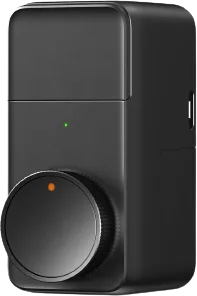
Ultraloq Bolt-F smart lock
Locks · Security
Partly worksCloud
1 report: 1 says it partly works.
Reported with 1 integration: Xthings Cloud.
What people report
| Integration | In Home Assistant | In Apple Home | What they said | Source |
|---|---|---|---|---|
| Xthings Cloud | Partly works Cloud | Lock entity can show unlocked while deadbolt is locked; reported on 2026.9.4Saved copyThe problem `lock.front_door` (Xthings Cloud, ULTRALOQ Bolt-F) reports unlocked while the deadbolt is actually locked. The Xthings app shows the correct state (Locked). Reloading the config entry does not fix it, and the WebSocket connection is healthy (regular pings, clean reconnects), so this is not a stale-connection issue, it's a wrong-field issue. ### Root cause The lock entity derives its state from the `locked` field: [code] But the `POST /ha/device` response contains two lock-state fields and they disagree: `locked` is `false` while `is_locked` is `true`, and the deadbolt is in fact … Excerpt saved from GitHub on 2026-10-23. | Issue #175810 · 2026-07 |
Each row is one report from a GitHub thread, an integration’s docs, or r/homeassistant. Check the date and the linked source before you buy.
In ReReHome
Once Home Assistant’s HomeKit Bridge shares it, this device reaches Apple Home as a HomeKit accessory behind your Home Assistant bridge, so ReReHome shows and controls it like any other.
Identifiers
| Brand | U-tec |
|---|---|
| Model | Bolt-F |
| Category | Locks |