Yeelight
yeelight
The Yeelight integration allows you to control your Yeelight Wi-Fi bulbs with Home Assistant.
In Apple Home through HomeKit Bridge
What HomeKit Bridge makes of each kind of entity this integration creates, read from its source code. A device only gets the ones that apply to it.
| Entity | Shows up as | Note |
|---|---|---|
light | Light | |
binary_sensor | Sensor (motion, contact, leak, smoke…) |
10 reports below say how a device from this integration behaves in the Home app.
What people report
Yeelight bulbs and ceiling lights work locally by model ID; newer models need model mapping and Mi desk/bedside lamps sometimes mis-detect.
- Works12
- Partly works7
- Not working2
- Requested1
| Device | In Home Assistant | In Apple Home | What they said | Source |
|---|---|---|---|---|
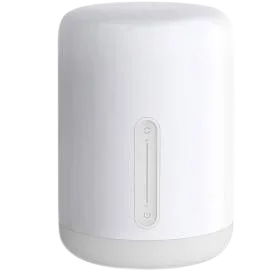
| Xiaomi Mi Bedside Lamp 2 | Works Local | Closed completed; try declaring as color2 or ceiling4Saved copyThe lamp isn't added to HA. I just did [code] ``` 2019-05-21 18:21:55 INFO (MainThread) [homeassistant.components.discovery] Found new service: homekit {'host': '192.168.1.94', 'port': 80, 'hostname': 'MiBedsideLamp2-BACF.local.', 'properties': {'sh': 'XQlSBg==', 'ci': '5', 'sf': '1', 's#': '1', 'pv': '1.1', 'md': 'MJCTD02YL', 'id': '23:AA:BB:A3:0E:E8', 'ff': '1', 'c#': '1'}, 'name': 'MiBedsideLamp2-BACF'} 2019-05-21 18:21:55 INFO (MainThread) [homeassistant.components.discovery] Found new service: homekit {'host': '192.168.1.93', 'port': 80, 'hostname': 'MiBedsideLamp2-F468.local.', … Excerpt saved from GitHub on 2026-10-23. | Issue #24018 · 2019-05 | |
| Yeelight bedside lamp bslamp1 | Works Local | Model ID listed in docsSaved copySupported devices: Model ID; mono; mono1; color1; color2; color4; color6; colorb; colorc; strip1; strip6; bslamp1; RGBW; lamp; lamp1; lamp9; lamp15; ceiling1; ceiling2; ?, may be ceiling3; ceiling3; ceiling4; ceiling10; ceiling13; ceil26; ?, may be ceilb; ceilc; ceilb. Excerpt saved from home-assistant.io on 2026-10-23. | Docs | |
| Yeelight bulb on firmware 2.x | Works Local | Zeroconf name error in 0.114.1; fixedSaved copyI have the same problem with yeelights, I reset them but home assistant recognizes them as a homekit accessory instead of yeelight, this is what the log says, someone knows how to fix it? > > 2020-09-29 15:49:29 ERROR … Excerpt saved from GitHub on 2026-10-23. | Issue #38914 · 2020-08 | |
| Yeelight bulbs | Works Local | Works in Home Brightness showed 0% in Home app, fixed by PR | Fixed after reportSaved copy0.72.1 and this problem unfortunately exists, I am using yeelight bulbs, when set from HA the brightness is 0% in Home app Excerpt saved from GitHub on 2026-10-23. | Issue #14354 · 2018-05 |
| Yeelight ceiling lights (ceiling1-ceiling13) | Works Local | Model IDs listed in docsSaved copySupported devices: Model ID; mono; mono1; color1; color2; color4; color6; colorb; colorc; strip1; strip6; bslamp1; RGBW; lamp; lamp1; lamp9; lamp15; ceiling1; ceiling2; ?, may be ceiling3; ceiling3; ceiling4; ceiling10; ceiling13; ceil26; ?, may be ceilb; ceilc; ceilb. Excerpt saved from home-assistant.io on 2026-10-23. | Docs | |
| Yeelight ceiling with ambilight (650) | Works Local | Ambilight background light entity addedSaved copyDescription: Add support for yeelight 650 ambilight ( also called background light ). It will probably support also other light, that has ambilight ( new ceiling light ). It creates new light for each yeelight device, that support background light. Its based on https://github.com/home-assistant/home-assistant/pull/22345/ . I will rebase when they gets merged ## Checklist: - [X] The code change is tested and works locally. - [X] Local tests pass with `tox`. Your PR cannot be merged unless tests pass - [X] There is no commented out code in this PR. Excerpt saved from GitHub on 2026-10-23. | PR #22346 · 2019-03 | |
| Yeelight Ceiling15 (Jiaoyue 480 HomeKit) | Works Local | Works in Home | Light unavailable at first; worked after updating to 2021.5.2Saved copyThe problem I just installed 2 of the mentioned ceiling lights. They work fine with Yeelight/MiHome App and with HomeKit. The Yeelight integration was able to detect both of them, and shows 2 entities (light and nightlight-mode) each. But while the nightlight is displayed correctly, the light entity is shown as unavailable and I'm not able to control the lights via Home-Assistant. Is there any possibility to get it supported? I think they are on the market for about 1 year already. If you need any testing I\ll be glad to help. ### What is version of Home Assistant Core has the issue? … Excerpt saved from GitHub on 2026-10-23. | Issue #50397 · 2021-05 |
| Yeelight color bulbs (color1/color2/color4/color6) | Works Local | Model IDs listed in docsSaved copySupported devices: Model ID; mono; mono1; color1; color2; color4; color6; colorb; colorc; strip1; strip6; bslamp1; RGBW; lamp; lamp1; lamp9; lamp15; ceiling1; ceiling2; ?, may be ceiling3; ceiling3; ceiling4; ceiling10; ceiling13; ceil26; ?, may be ceilb; ceilc; ceilb. Excerpt saved from home-assistant.io on 2026-10-23. | Docs | |
| Yeelight LED Ceiling Light Luna | Works Local | Model addedSaved copyAdd new model https://www.yeelight.com/en_US/product/luna ## Proposed change ## Type of change <!-- What type of change does your PR introduce to Home Assistant? NOTE: Please, check only 1! box! If your PR requires multiple boxes to be checked, you'll most likely need to Excerpt saved from GitHub on 2026-10-23. | PR #31615 · 2020-02 | |
| Yeelight light | Works | Partly in Home Auto-discovered light missing in Home app unless HomeKit starts later | Works if HomeKit start is delayed after discoverySaved copy… release (`hass --version`): 0.66.0b1 Python release (`python3 --version`): 3.6.4 Component/platform: homekit discovery Description of problem: I have two `light` setup, one is static `light.mqtt` and another is auto-discovered `light.yeelight`. After pairing HA with HomeKit, the MQTT light showing correctly, but the discovered one does not. Seems that HomeKit does not support discovery right now. Excerpt saved from GitHub on 2026-10-23. | Issue #13472 · 2018-03 |
| Yeelight lights | Works | Works in Home Scenes toggling two lights sent only one command; fixed upstream | Fixed in HAP-python update (0.108.3)Saved copyThe problem Running a scene from HomeKit in iOS involving 2 yeelights (switching off and on) The scenes involve simultaneously turning on and off 2 lights, "Front" and "Back". On version 0.107.7, when the "light off" scene is activated in HomeKit, Logbook shows "HomeKit send command turn_off for Front" and "HomeKit send command turn_off for Back". On version 0.108.0 and 0.108.1, Logbook shows "HomeKit send command turn_off to Set state to 0 for Back" only, with nothing from "Front" light. This is similar when turning on the lights in 0.108.0/1 as well, where the command from only 1 light is … Excerpt saved from GitHub on 2026-10-23. | Issue #33897 · 2020-04 |
| Yeelight strips (strip1/strip6) | Works Local | Model IDs listed in docsSaved copySupported devices: Model ID; mono; mono1; color1; color2; color4; color6; colorb; colorc; strip1; strip6; bslamp1; RGBW; lamp; lamp1; lamp9; lamp15; ceiling1; ceiling2; ?, may be ceiling3; ceiling3; ceiling4; ceiling10; ceiling13; ceil26; ?, may be ceilb; ceilc; ceilb. Excerpt saved from home-assistant.io on 2026-10-23. | Docs | |
| Yeelight 2.x firmware bulb | Partly works Local | Newer firmware has HomeKit but no mDNS; zeroconf error on discovery fixedSaved copyI have the same problem with yeelights, I reset them but home assistant recognizes them as a homekit accessory instead of yeelight, this is what the log says, someone knows how to fix it? > > 2020-09-29 15:49:29 ERROR … Excerpt saved from GitHub on 2026-10-23. | Issue #38914 · 2020-08 | |
| Yeelight and Govee lights | Partly works | Hours of troubleshooting each light across native, Matter and HACS methodsSaved copyNew to home assistant, is this typical?. So I am brand spanking new to HA, with no prior background in coding or anything like this. My automation needs are quite basic, mainly wanting more control over my lights than native apps allow. I was able to get HA up and running, and add in all of my lights from yeelight and govee. I was a little surprised at how much trouble shooting was involved, amounting to several hours for each light, trying many different methods. (Apple home, matter, yeelight natives app, the other yeelight app on hacs). Today I spent a few hours trying to get linkind bulbs … Excerpt saved from the Arctic Shift Reddit archive on 2026-10-23. | Reddit thread · 2026-01 | |
| Yeelight bulb | Partly works Local | Partly in Home Color wheel white stays in RGB mode; use temperature tab | Brightest white needs color temperature mode for full brightnessSaved copyThe problem When choosing the color wheel and selecting the brightest white color available (center), the bulb stays in RGB mode. But to achieve the full brightness of the bulb, we need to click on `temperature` slider and re-click the position it's already set to. This shoots up the brightness dramatically. (Switches from RGB mode I believe?) Is it possible to map the brightest white on the color wheel to do this automatically? I wrote about this issue in HomeKit, and was told to use this Yeelight integration instead to fix this. https://github.com/home-assistant/core/issues/53767 Default … Excerpt saved from GitHub on 2026-10-23. | Issue #55296 · 2021-08 |
| Yeelight color bulb | Partly works Local | Broken in Home Colour change reverts to old colour in Home app | Colour works in HA UI; Home app colour changes not appliedSaved copy… 0.98.4 Operating environment (Hass.io/Docker/Windows/etc.): linux - python virtual env Component/platform: homekit: Description of problem: Hi, i have 4 yeelight color bulb (configure with yeelight: component) i export to Home App via homekit: component. If I change color in Home App, the change is never actually applied by HA. Initially, Home App shows the device color changed for little time but after a while return on old color or, sometimes, in random color in temperature wheel. if you back out of the light’s color settings and come back it shows the color didn’t actually change (as … Excerpt saved from GitHub on 2026-10-23. | Issue #26571 · 2019-09 |
| Yeelight LED strip | Partly works Local | Partly in Home Colour changes revert to white in Home app | Works from HA UI; Home app colour changes revert to whiteSaved copy… since the update to 0.91 (even updating to 0.92 haven't fixed it) i recognized some strange behavior within the homekit app when changing the color of my yeelight and hue led stripes. color changes to the chosen color and immediately turns back to white. changing color in the web front or HA iOS app is no problem and is working. hue bridge is implemented with the integration feature and yeelight is being auto discovered. in the log i got following error: Unable to update bulb status: {‘code’: -1, ‘message’: ‘client quota exceeded’} any idea, please!? Excerpt saved from GitHub on 2026-10-23. | Issue #23394 · 2019-04 |
| Yeelight RGB bulb | Partly works Local | Partly in Home Saved color presets in Home app set wrong color; color wheel works | Color preset picker in Home app unreliable; wheel worksSaved copyYeah, Apple implementation is wired, but it’s the Apple way to do it. I have no experience with Philips Hue bulbs, I’m using Yeelight bulbs (RGB bulb and White bulb) They are kind of finicky (limitation of payloads per minutes, and struggle to get back on wifi after a power outage) If you find a better way to handle both HSV and temp characteristics with homebridge please share your solution, I didn’t change my setup since I managed to get it “somewhat” working and I gave up this topic since Apple / Homeassistant doesn’t care about this getting patched. Excerpt saved from GitHub on 2026-10-23. | Issue #19251 · 2018-12 |
| Yeelight RGB bulb YLDP02YL | Partly works Local | Partly in Home Only white shown in Home app, no colour option | Colour and temperature work in HA; Home app shows white onlySaved copyHome Assistant release with the issue: 0.92.2 Operating environment (Hass.io/Docker/Windows/etc.): Docker on a VM on Windows 10 Component/platform: light.yeelight: https://www.home-assistant.io/components/light.yeelight/ homekit: https://www.home-assistant.io/components/light.homekit_controller/ Description of problem: i'm using a Yeelight RGB Bulb model YLDP02YL The light correctly support rgb color and white temperature in home assistant, but only show as white light in homekit devices like iphone. Problem-relevant `configuration.yaml` entries and (fill out even if it seems unimportant): … Excerpt saved from GitHub on 2026-10-23. | Issue #23871 · 2019-05 |
| Xiaomi Mijia Desk Lamp | Not working Local | Unavailable due to type detection failure; duplicate issueSaved copy… 0.118.5 in docker Integration with yeelight: https://www.home-assistant.io/integrations/yeelight/ ## Problem-relevant `configuration.yaml` In the past, the Xiaomi Mijia Smart LED Desk Lamp worked fine. But not, it does not. I tried configuration from UI and from yaml. The type of the device is lam1 and the model is MJTD01YL ## Traceback/Error logs (MainThread) [homeassistant.components.yeelight.light] Cannot determine device type for 192.168.X.X, Desktop. Falling back to white only ## Additional information LAN control is enabled, I turn it off and on multiple times to see if HA could … Excerpt saved from GitHub on 2026-10-23. | Issue #43987 · 2020-12 | |
| Yeelight Color bulb firmware 2.0.6_0051 | Not working | Broken in Home Added Yeelight made HomeKit bridge stop working | Bulbs become unavailable after firmware update; mDNS discovery changedSaved copy… 0.97.2 virtualenv true Last working Home Assistant release (if known): 0.97.2 Operating environment (Hass.io/Docker/Windows/etc.): Component/platform: yeelight Description of problem: After upgrading the firmware of my two Yeelight Color bulbs to version 2.0.6_0051, HA is showing a notification about 2 new Homekit devices. I have ignored the notification and didn’t setup the integration, but now these bulbs are “unavailable” in HA, although they can be accessed and controlled from Mi Home and Yeelight applications. Upon restart, sometimes (not always!) HA shows the bulbs during a few minutes, … Excerpt saved from GitHub on 2026-10-23. | Issue #26186 · 2019-08 |
| Yeelight YLDP22YL filament bulb | Requested Local | Not recognised; LAN Control must be enabled and model mono5 unsupportedSaved copyThe problem I've just bought a Yeelight filament bulb (model YLDP22YL) and they Yeelight integration does not seem to find it. I also cannot see it in the list of supported models. Any plans to support this model in the future? Of course, workarounds are possible via Node-RED or HomeKit Controller but I would appreciate support through the Yeelight integration. ## Environment - Home Assistant Core release with the issue: 0.118.4 - Last working Home Assistant Core release (if known): N/A - Operating environment (OS/Container/Supervised/Core): HassOS 4.16 - Integration causing this issue: … Excerpt saved from GitHub on 2026-10-23. | Issue #43776 · 2020-11 |
Gathered from GitHub issues, pull requests, discussions and docs, and from r/homeassistant. These are individual reports, so check the linked thread and the date before you buy.
How it connects
Local push
Talks to the device on your network, and the device tells Home Assistant the moment something changes.
Found automatically over
- DHCP
- HomeKit pairing
- Bonjour (zeroconf)
Devices that also speak HomeKit
- YL*
These can pair with Apple Home directly, without Home Assistant.
Details
| Installs (analytics) | 12,047 (1.7%) |
|---|---|
| Added in | Home Assistant 0.32 |
| Set up in the UI | Yes |
| Maintainers | @zewelor, @shenxn, @starkillerOG, @alexyao2015 |
Devices listed in its documentation
- Model ID
- mono
- mono1
- color1
- color2
- color4
- color6
- colorb
- colorc
- strip1
- strip6
- bslamp1
- RGBW
- lamp
- lamp1
- lamp9
- lamp15
- ceiling1
- ceiling2
- ?, may be ceiling3
- ceiling3
- ceiling4
- ceiling10
- ceiling13
- ceil26
- ?, may be ceilb
- ceilc
- ceilb
In ReReHome
Whatever HomeKit Bridge shares reaches Apple Home as normal HomeKit accessories behind your Home Assistant bridge, so ReReHome shows and controls them like any other.
Bridges get their own settings page listing the accessories behind them.