LEDVANCE
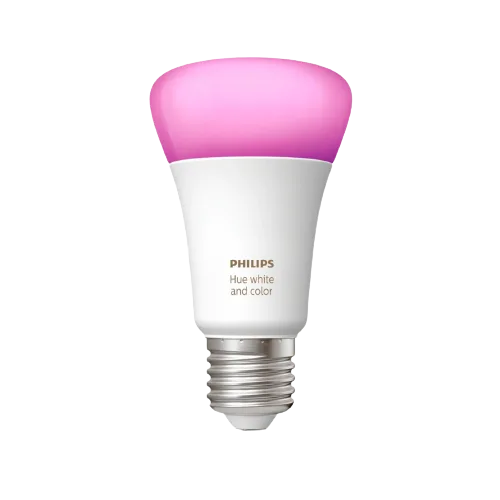
Ledvance Smart+ Classic A60 E27 Multicolor
Lights · Lighting
Partly works
1 report: 1 says it partly works.
Reported on r/homebridge without a plugin from our list.
What people report
| Plugin | Status | What they said | Connects | Source |
|---|---|---|---|---|
| Tuya plugins | Partly works | Poster could not connect via TuyaLan/Tuya Web; advised to add to Tuya app firstSaved copyHello to everyone. I bought LEDVANCE SMART + LIGHTING. Model: CLASIC A 60 E27 MULTICOLOR Device Name: LDVWIFIA60E27RGBW Device ID: bfe12d812e0d49a94dyefg Local Key: O*.ufg<D~4.;O]!O Device IP: 192.168.0.5 Port: 6668 I tried to connect to HomeBridge with GPT4o using TuyaLan, YuyaWeb and others plugins. But it's always a mistake. Either the code doesn’t fit, or the plugin doesn’t want to work. I also tried to access it through the Mac terminal and it didn’t work either. All actions were performed on Mac OS Sonoma. Help me please. Excerpt saved from Arctic Shift Reddit archive on 2026-10-22. | Connection not stated | Reddit thread · 2024-07 |
Each row is one report from a plugin’s GitHub issues, pull requests, discussions, wiki or docs, or from r/homebridge. Check the date and the linked thread before you buy.
In ReReHome
Once a Homebridge plugin publishes it, this device reaches Apple Home as a HomeKit accessory behind your Homebridge bridge, so ReReHome shows and controls it like any other.
Identifiers
| Brand | LEDVANCE |
|---|---|
| Model | LDVWIFIA60E27RGBW |
| Category | Lights |
Also reported as
- LEDVANCE Smart+ Classic A60 E27 multicolor (LDVWIFIA60E27RGBW)