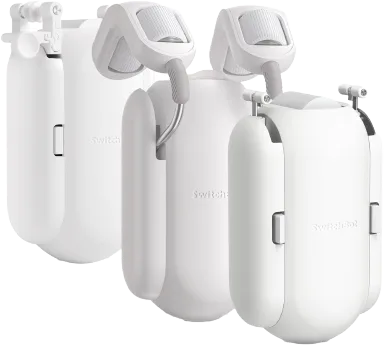
SwitchBot
@switchbot/homebridge-switchbot · v5.1.2
Adds SwitchBot bots, curtains, locks, sensors, humidifiers, vacuums, plugs and IR devices to HomeKit over BLE and OpenAPI.
What it says it supports
Brands
- SwitchBot
Devices it names
- Bot
- Curtain
- Lock
- Meter
- Motion Sensor
- Contact Sensor
- Humidifier
- Hub Mini
- Hub 2
- Hub 3
- IR TV, fan and light remotes
Shows up in Apple Home as from its README
What people report
Bot, Curtain, Meters, Humidifier, Plug and IR devices are listed as supported, but newer devices (vacuums, CO2 meter, air purifier) are partial or unsupported. Many 2024-2025 reports of OpenAPI/cloud flakiness and v4 upgrade breakage.
- Works17
- Partly works6
- Not working6
- Requested2
- Won’t be supported1
The plugin’s own supported-device list
| Device | Status | What they said | Source |
|---|---|---|---|
| SwitchBot | Works | Suggested to reset smoke alarm via virtual switch automationSaved copyPretty sure that's possible! You'd probably have to have: Switchbot Homebridge plugin installed and configured to reset your alarm when a virtual switch accessory is flipped iPad / Apple TV / Homepod to enable automations An automation that toggles the virtual switch accessory whenever the alarm listener plugin detects smoke Excerpt saved from Arctic Shift Reddit archive on 2026-10-22. | Reddit comment · 2021-04 |
| SwitchBot | Works | Plugin supports their cloud API whereas Home Assistant only supports BLESaved copyFor my setup i have some things in homebridge and some in Home Assistant. Both are needed in my case. 1. SwitchBot - homebridge plugin supports their API whereas HA only supports BLE 2. Nest smoke detectors - no support in HA 3. Dummy Switches - useful for complex automations in homekit In HA, i have my Kwikset Halo locks, Jandy iAqualink pool controller, Big Ass Fans (HA has better support than homebridge). In my opinion, homebridge has one job and that is connecting non-homekit devices to homekit. HA is a much more powerful platform but i only use it as a homekit bridge. So in all honestly, … Excerpt saved from Arctic Shift Reddit archive on 2026-10-22. | Reddit comment · 2023-03 |
| SwitchBot Bot | Works | Press or Switch mode; switch mode state can desync via APISaved copyOpenAPI Devices SwitchBot Humidifier SwitchBot Meter SwitchBot Hub Mini or SwitchBot Hub Plus Required Enable Cloud Services for Device on SwitchBot App SwitchBot Motion Sensor SwitchBot Hub Mini or SwitchBot Hub Plus Required Enable Cloud Services for Device on SwitchBot App SwitchBot Contact Sensor SwitchBot Hub Mini or SwitchBot Hub Plus Required Enable Cloud Services for Device on SwitchBot App SwitchBot Curtain SwitchBot Hub Mini or SwitchBot Hub Plus Required Enable Cloud Services for Device on SwitchBot App SwitchBot Bot SwitchBot Hub Mini or SwitchBot Hub Plus Required Enable Cloud … Excerpt saved from GitHub on 2026-10-22. | Wiki: Supported Devices |
| SwitchBot Bot garage door pusher | Works | Bluetooth plugin works reliably on a Raspberry Pi to press garage opener button; no hub neededSaved copyIt absolutely would work. You don’t even need the SwitchBot hub, as there is a SwitchBot HomeBridge plugin that works over Bluetooth. I use it with a Raspberry Pi, and it works reliably. As for monitoring state, use literally any contact sensor. Here’s a clever implementation that uses gravity to establish door state: https://www.reddit.com/r/smarthome/s/e9sUxcibch Excerpt saved from Arctic Shift Reddit archive on 2026-10-22. | Reddit comment · 2023-11 |
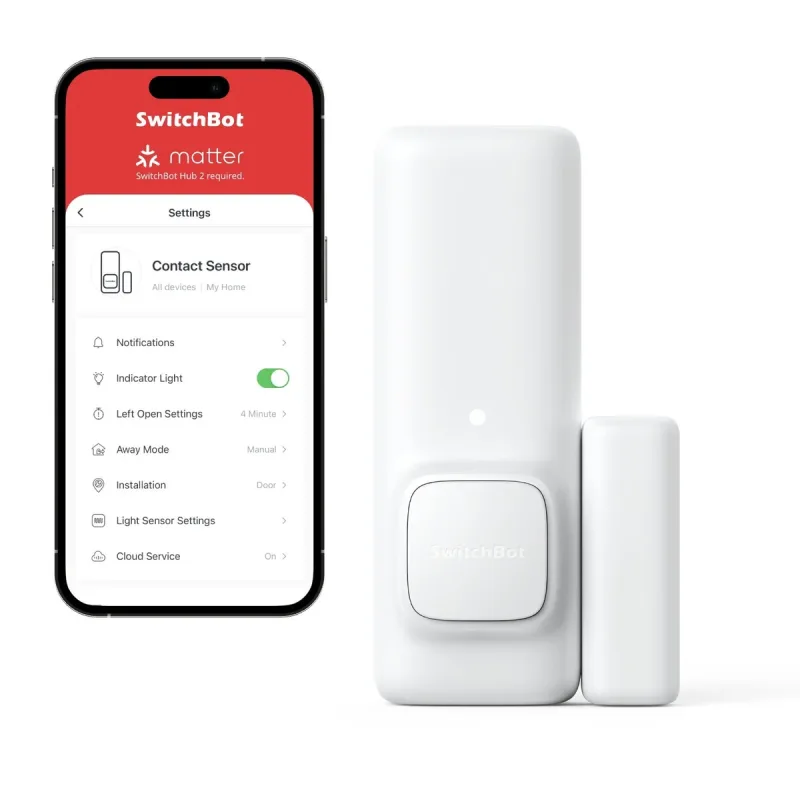
| SwitchBot Contact Sensor | Works | Supported via OpenAPI; hub and cloud services requiredSaved copyOpenAPI Devices SwitchBot Humidifier SwitchBot Meter SwitchBot Hub Mini or SwitchBot Hub Plus Required Enable Cloud Services for Device on SwitchBot App SwitchBot Motion Sensor SwitchBot Hub Mini or SwitchBot Hub Plus Required Enable Cloud Services for Device on SwitchBot App SwitchBot Contact Sensor SwitchBot Hub Mini or SwitchBot Hub Plus Required Enable Cloud Services for Device on SwitchBot App SwitchBot Curtain SwitchBot Hub Mini or SwitchBot Hub Plus Required Enable Cloud Services for Device on SwitchBot App SwitchBot Bot SwitchBot Hub Mini or SwitchBot Hub Plus Required Enable Cloud … Excerpt saved from GitHub on 2026-10-22. | Wiki: Supported Devices |
| SwitchBot Curtain | Works | Supported via OpenAPI and BLESaved copyOpenAPI Devices SwitchBot Humidifier SwitchBot Meter SwitchBot Hub Mini or SwitchBot Hub Plus Required Enable Cloud Services for Device on SwitchBot App SwitchBot Motion Sensor SwitchBot Hub Mini or SwitchBot Hub Plus Required Enable Cloud Services for Device on SwitchBot App SwitchBot Contact Sensor SwitchBot Hub Mini or SwitchBot Hub Plus Required Enable Cloud Services for Device on SwitchBot App SwitchBot Curtain SwitchBot Hub Mini or SwitchBot Hub Plus Required Enable Cloud Services for Device on SwitchBot App SwitchBot Bot SwitchBot Hub Mini or SwitchBot Hub Plus Required Enable Cloud … Excerpt saved from GitHub on 2026-10-22. | Wiki: Supported Devices |
| SwitchBot Curtain and blinds | Works | Plugin works much better than native HomeKit via Hub 2, which had issue after issue; multiple users agreeSaved copyIs anyone else finding that the SwitchBot plugin works better then native HomeKit support with the SwitchBot hub 2? I have blinds and curtains set up and It’s just issue after issue with the hub. I went to the homebridge plugin and It’s been working much much better. Anyone else have the same experience? Excerpt saved from Arctic Shift Reddit archive on 2026-10-22. | Reddit thread · 2023-12 |
| SwitchBot curtain motors | Works | Exposes more than official Matter hub integration; hub not needed over BLESaved copyActually, you get more functionality exposed via Hombridge plugin than you’d with official matter integration via Switchbot Hub. Other swotchbot plugins, not sure, i’m just using this one and working properly. Excerpt saved from Arctic Shift Reddit archive on 2026-10-22. | Reddit comment · 2024-11 |
| SwitchBot devices | Works | Homebridge plugin preferred; Home Assistant SwitchBot integration called poorSaved copyJust wondering if anyone in the Apple ecosystem use both? If so, why? For me I need the Switchbot plugin, and the Switchbot integration in HA is poor, and Homebridge is very stable in general. But the Reolink integration in HA is leagues ahead of anything Homebridge and Scyrpted use, and some of the automation options are better. Excerpt saved from Arctic Shift Reddit archive on 2026-10-22. | Reddit thread · 2023-05 |
| SwitchBot Humidifier | Works | Listed as supported via OpenAPISaved copyOpenAPI Devices SwitchBot Humidifier SwitchBot Meter SwitchBot Hub Mini or SwitchBot Hub Plus Required Enable Cloud Services for Device on SwitchBot App SwitchBot Motion Sensor SwitchBot Hub Mini or SwitchBot Hub Plus Required Enable Cloud Services for Device on SwitchBot App SwitchBot Contact Sensor SwitchBot Hub Mini or SwitchBot Hub Plus Required Enable Cloud Services for Device on SwitchBot App SwitchBot Curtain SwitchBot Hub Mini or SwitchBot Hub Plus Required Enable Cloud Services for Device on SwitchBot App SwitchBot Bot SwitchBot Hub Mini or SwitchBot Hub Plus Required Enable Cloud … Excerpt saved from GitHub on 2026-10-22. | Wiki: Supported Devices |
| SwitchBot IR devices (TV, fan, AC, light, purifier, etc.) | Works | Needs Hub Plus or Mini; on/off, volume, AC temperature and modeSaved copyOpenAPI Devices SwitchBot Humidifier SwitchBot Meter SwitchBot Hub Mini or SwitchBot Hub Plus Required Enable Cloud Services for Device on SwitchBot App SwitchBot Motion Sensor SwitchBot Hub Mini or SwitchBot Hub Plus Required Enable Cloud Services for Device on SwitchBot App SwitchBot Contact Sensor SwitchBot Hub Mini or SwitchBot Hub Plus Required Enable Cloud Services for Device on SwitchBot App SwitchBot Curtain SwitchBot Hub Mini or SwitchBot Hub Plus Required Enable Cloud Services for Device on SwitchBot App SwitchBot Bot SwitchBot Hub Mini or SwitchBot Hub Plus Required Enable Cloud … Excerpt saved from GitHub on 2026-10-22. | Wiki: Supported Devices |
| SwitchBot Lock | Works | Commenter says works great over existing deadboltSaved copyI have the switchbot lock and it works great for my needs. I live in an apartment so can’t replace the deadbolt, and the switchbot goes over the existing lock. Excerpt saved from Arctic Shift Reddit archive on 2026-10-22. | Reddit comment · 2024-01 |
| SwitchBot Meter | Works | Supported via OpenAPI (hub needed) and BLESaved copyOpenAPI Devices SwitchBot Humidifier SwitchBot Meter SwitchBot Hub Mini or SwitchBot Hub Plus Required Enable Cloud Services for Device on SwitchBot App SwitchBot Motion Sensor SwitchBot Hub Mini or SwitchBot Hub Plus Required Enable Cloud Services for Device on SwitchBot App SwitchBot Contact Sensor SwitchBot Hub Mini or SwitchBot Hub Plus Required Enable Cloud Services for Device on SwitchBot App SwitchBot Curtain SwitchBot Hub Mini or SwitchBot Hub Plus Required Enable Cloud Services for Device on SwitchBot App SwitchBot Bot SwitchBot Hub Mini or SwitchBot Hub Plus Required Enable Cloud … Excerpt saved from GitHub on 2026-10-22. | Wiki: Supported Devices |
| SwitchBot Meter (WoSensorTH) over BLE | Works | BLE temperature bug fixed after update to v1.2.2Saved copyBTW - re this line in debug - [25/11/2021, 14:43:48] [SwitchBot] [DEVICE] Meter: Meter 59 serviceData: {"model":"T","modelName":"WoSensorTH","temperature":{"c":30.2,"f":86.4},"fahrenheit":false,"humidity":79,"battery":100} "c":30.2 FYI - my meter is actually 23.9 right now, so that line is not correct Excerpt saved from GitHub on 2026-10-22. | Issue #112 · 2021-11 |
| SwitchBot Meter Plus (US) | Works | Support added in beta, confirmed working by userSaved copyProblem HomeBridge shows the MeterPlus is not supported Solution Add support for MeterPlus(US) in homebridge Alternatives _No response_ Additional context Logs: [2/11/2022, 12:45:41 PM] [SwitchBot] Device: Meter with Device Type: MeterPlus, is currently not supported. [2/11/2022, 12:45:41 PM] [SwitchBot] Submit Feature Requests Here: https://git.io/JL14Z Excerpt saved from GitHub on 2026-10-22. | Issue #259 · 2022-02 |
| SwitchBot Motion Sensor | Works | Supported via OpenAPI; hub and cloud services requiredSaved copyOpenAPI Devices SwitchBot Humidifier SwitchBot Meter SwitchBot Hub Mini or SwitchBot Hub Plus Required Enable Cloud Services for Device on SwitchBot App SwitchBot Motion Sensor SwitchBot Hub Mini or SwitchBot Hub Plus Required Enable Cloud Services for Device on SwitchBot App SwitchBot Contact Sensor SwitchBot Hub Mini or SwitchBot Hub Plus Required Enable Cloud Services for Device on SwitchBot App SwitchBot Curtain SwitchBot Hub Mini or SwitchBot Hub Plus Required Enable Cloud Services for Device on SwitchBot App SwitchBot Bot SwitchBot Hub Mini or SwitchBot Hub Plus Required Enable Cloud … Excerpt saved from GitHub on 2026-10-22. | Wiki: Supported Devices |
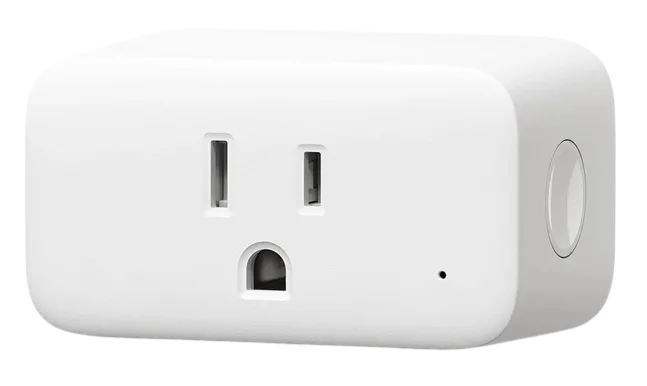
| SwitchBot Plug | Works | Listed as supported via OpenAPISaved copyOpenAPI Devices SwitchBot Humidifier SwitchBot Meter SwitchBot Hub Mini or SwitchBot Hub Plus Required Enable Cloud Services for Device on SwitchBot App SwitchBot Motion Sensor SwitchBot Hub Mini or SwitchBot Hub Plus Required Enable Cloud Services for Device on SwitchBot App SwitchBot Contact Sensor SwitchBot Hub Mini or SwitchBot Hub Plus Required Enable Cloud Services for Device on SwitchBot App SwitchBot Curtain SwitchBot Hub Mini or SwitchBot Hub Plus Required Enable Cloud Services for Device on SwitchBot App SwitchBot Bot SwitchBot Hub Mini or SwitchBot Hub Plus Required Enable Cloud … Excerpt saved from GitHub on 2026-10-22. | Wiki: Supported Devices |
| SwitchBot Bot over OpenAPI | Partly works | Reported as unsupported device or not firing; worked after reconfigure on some versionsSaved copyDescribe the Bug All of a sudden a perfectly good config which was bulletproof for more than a year now suddenly gets this message and the bot does not work from homebridge. The device type is clearly set, yet the plugin does not acknowledges it. Tried to uninstall and reinstall it, did not help. To Reproduce Just try to set up a standard switchbot bot. Expected Behavior The device type is set to Bot. The expected behaviour would be that the plugin acknowledges this. Relevant Log Output [code] Config for homebridge-switchbot [code] Screenshots Device and Model SwitchBot Hub Mini V5.7-4.0 & … Excerpt saved from GitHub on 2026-10-22. | Issue #1120 · 2024-11 |
| SwitchBot Curtain | Partly works | Plugin works great via OpenAPI, but motors too weak for large curtainsSaved copyThere is the homebridge-SwitchBot plugin that uses OpenAPI which works great for curtains Excerpt saved from Arctic Shift Reddit archive on 2026-10-22. | Reddit comment · 2021-11 |
| SwitchBot Curtain | Partly works | Works over Bluetooth but unreliable at distance; fails about 1 in 4Saved copy… it doesn't kick in)? Or does the shortcut actually reside within the HomeKit host? Also, can the shortcut have a condition on the current state of the curtain? I would not want to send the close command if the curtain is already closed, because I noticed that it causes the switchbot curtain to wake up and move a tiny bit (resulting in a motor sound). The shortcut runs on your homekit hub. If you don't have one, I guess it runs on your phone. Yes, shortcuts are very versatile and you can set if/then/else conditions. You could convert the automation (which already triggers 30 minutes after … Excerpt saved from Arctic Shift Reddit archive on 2026-10-22. | Reddit thread · 2022-03 |
| SwitchBot devices | Partly works | Hub 2, lights and bots not exposed; humidifier shown but nonfunctionalSaved copyHi! I have Homebridge installed in a linux virtualbox on Win11. I installed and setup (API token and secret) the homebridge-switchbot plugin. But, unfortunately it doesen’t expose all of my switchbot devices. In particular, it exposes one of my Humidifier in accessory, but it doesent work. While in the log, it shows that it’s adding a Light Bulb (out of 4) multiple times, but never showing it into accessory. I have 3 hub 2, multiple lights, bots and IR…yet none gets exposed. Any support on that? Thanks! Excerpt saved from Arctic Shift Reddit archive on 2026-10-22. | Reddit thread · 2024-11 |
| SwitchBot Meter Pro (CO2 Monitor) | Partly works | Works as Meter for temp/humidity/battery; CO2 reads 0 or not detectedSaved copyProblem The device „Meter Pro (CO2-Monitor)“ is currently not supported from the plugin. The plugin logs: `Device: Meter Pro (CO2-Monitor) with Device Type: MeterPro(CO2), is currently not supported. Submit Feature Requests Here: https://tinyurl.com/SwitchBotFeatureRequest` Solution Add support for „Meter Pro (CO2-Monitor)“ device. Alternatives _No response_ Additional context _No response_ Excerpt saved from GitHub on 2026-10-22. | Issue #1112 · 2024-11 |
| SwitchBot Robot Vacuum K10+ / K10+ Pro | Partly works | Recognized after beta but shows only as a switch; K10+ Pro config problems reportedSaved copyDescribe the Bug All of my switchbot devices appear except for my robovaccums: two S10s and one K10+ To Reproduce Homebridge freshly installed in docker with the homebridge-switchbot plugin. Expected Behavior Robovaccum devices should appear in accessories section Relevant Log Output [code] Config for homebridge-switchbot [code] Screenshots _No response_ Device and Model S10, K10+ Node.js Version v18.19.0 NPM Version 10.2.3 Homebridge Version v1.8.0 Homebridge Switchbot Plugin Version v3.4.0 Homebridge Config UI X Plugin Version v4.56.1 Operating System Docker on Linux x64 Excerpt saved from GitHub on 2026-10-22. | Issue #963 · 2024-04 |
| SwitchBot Bot over BLE | Not working | Bot does not push when switched in Home app via BLE; no errorSaved copyDescribe the Bug Bot does not change execute push when sending over BLE (can't test it with OpenAPI because I don't have a hub), No error message nothing. To Reproduce Install Plugin and add a Bot to devices. Expected Behavior Switch state in home app and bot pushes. Relevant Log Output [code] Config for homebridge-switchbot [code] Screenshots _No response_ Device and Model Bot S1 Node.js Version v22.15.0 NPM Version v10.9.2 Homebridge Version v1.9.0 Homebridge Switchbot Plugin Version v4.3.1 Homebridge Config UI X Plugin Version _No response_ Operating System Raspbian Excerpt saved from GitHub on 2026-10-22. | Issue #1208 · 2025-05 |
| SwitchBot Curtain | Not working | Stopped responding; firmware 4.6 reported disabling cloud servicesSaved copyI assume this is happening to everyone, but there is no help from switchbot, seems updating to their new firmware 4.6 on the curtains disables all cloud service. Please correct me if I am wrong, and any solution would be greatly appreciated. I have been working on this for a whole day. I updated all 5 curtains to firmware 4.6, none can activate cloud access anymore, only one that still connects to cloud services is the button, but that is on another firmware 4.9. Seems they might be changing something for the native homekit support. But, this just sucks right now. Everything ran smooth with … Excerpt saved from Arctic Shift Reddit archive on 2026-10-22. | Reddit comment · 2022-07 |
| SwitchBot Curtain 3 | Not working | Discovered but not supported on versions above 2.14.0Saved copy… in a loop (especially latest (v4.3.1) , that config is wrong, or config initialing. When I down grade to 2.14.0 all of the sudden all works, I get my curtain3 discovered, but they are not supported. is there a way to fix it? I have tried to add manually the Device IDs with and without ":" but it does not help. [3/27/2025, 9:06:59 PM] [SwitchBot] Device: Decak with Device Type: Curtain3, is currently not supported. [3/27/2025, 9:06:59 PM] [SwitchBot] Submit Feature Requests Here: https://tinyurl.com/SwitchBotFeatureRequest [3/27/2025, 9:06:59 PM] [SwitchBot] Device: Curtain 0D with Device … Excerpt saved from GitHub on 2026-10-22. | Issue #1196 · 2025-03 |
| SwitchBot devices | Not working | SwitchBot bridge will not workSaved copyOkay. Had to delete the auth.json file...again. Below is an example of an error I get from switchbot. I've paired the bridge, they're recognized in HK, but have a generic "house" icon and say "Not Supported" \[8/1/2025, 10:14:30 PM\] \[SwitchBot\] Bot: Deck Lights Bot: Deck Lights does not have bot mode set in the Plugin's SwitchBot Device Settings, defaulting to "switch" mode. You may experience issues. \[8/1/2025, 10:14:30 PM\] \[SwitchBot\] Bot: Deck Lights Device Type not set \[8/1/2025, 10:14:30 PM\] \[SwitchBot\] Restoring existing accessory from cache: Deck Lights deviceId: C755D85CE6A1 Excerpt saved from Arctic Shift Reddit archive on 2026-10-22. | Reddit thread · 2025-08 |
| SwitchBot Hub Mini and Bots | Not working | Plugin fails with TLS errors; downgrading 3.5 to 3.4 fixed it for one userSaved copyI had to downgrade the plugin from 3.5 to 3.4 for everything to work as it should Excerpt saved from Arctic Shift Reddit archive on 2026-10-22. | Reddit comment · 2024-06 |
| SwitchBot Indoor/Outdoor Meter | Not working | Humidity lost in parsing in v3.4.0; later recognition failures reportedSaved copy… but the bug is in the code as well as far as I can see Expected Behavior get humidity data, obviously Relevant Log Output [code] Config for homebridge-switchbot [code] Screenshots _No response_ Device and Model raspberry pi model 4 running docker Node.js Version v20.12.2 NPM Version 10.5.0 Homebridge Version Homebridge v1.8.2 in docker container homebridge/homebridge:2024-05-02 Homebridge Switchbot Plugin Version 3.4.0 Homebridge Config UI X Plugin Version _No response_ Operating System Raspian Excerpt saved from GitHub on 2026-10-22. | Issue #980 · 2024-05 |
| SwitchBot Air Purifier PM2.5 | Requested | Manual add gives unsupported device type errorSaved copyProblem When I try to add Switchbot Air Purifier PM2.5 device manually with I get the following error message: [code] Plugin version: v4.3.3 Homebridge version: v1.11.1 Solution Would be glad to assist with enabling support for device type Air Purifier PM2.5 Need some guidance on how to proceed Alternatives _No response_ Additional context _No response_ Excerpt saved from GitHub on 2026-10-22. | Issue #1310 · 2026-01 |
Show 2 more
| Device | Status | What they said | Source |
|---|---|---|---|
| SwitchBot Robot Vacuum S10 | Requested | Not appearing in plugin; no fix confirmedSaved copyDescribe the Bug All of my switchbot devices appear except for my robovaccums: two S10s and one K10+ To Reproduce Homebridge freshly installed in docker with the homebridge-switchbot plugin. Expected Behavior Robovaccum devices should appear in accessories section Relevant Log Output [code] Config for homebridge-switchbot [code] Screenshots _No response_ Device and Model S10, K10+ Node.js Version v18.19.0 NPM Version 10.2.3 Homebridge Version v1.8.0 Homebridge Switchbot Plugin Version v3.4.0 Homebridge Config UI X Plugin Version v4.56.1 Operating System Docker on Linux x64 Excerpt saved from GitHub on 2026-10-22. | Issue #963 · 2024-04 |
| SwitchBot Camera | Won’t be supported | Tuya-based camera not in SwitchBot API; no supportSaved copyHi Donavan,Utilizing *@*.*/homebridge-tuya-platform HomeBridge plug-in you suggested, I was able to add my SwitchBot Camera to Tuya (via http://iot.tuya.com/) and have been able to successfully add it to HomeKit. I get updated screenshots, but I am not getting live streams. When I try, I get the following:[1/28/2023, 12:44:34 PM] *@*.*×5e/homebridge-tuya-platform] [SwitchBot Indoor Camera] FFmpeg exited with code:1 and signal: null (Error) SwitchBot Indoor Camera [1/28/2023, 12:44:34 PM *@*.*×5e/homebridge-tuya-platform][SwitchBot Indoor Camera] Stopped video stream. SwitchBot Indoor … Excerpt saved from GitHub on 2026-10-22. | Issue #12 · 2021-08 |
Gathered from the plugin’s GitHub issues, pull requests, discussions, wiki and docs, and from r/homebridge. These are individual reports, so check the linked thread and the date before you buy.
How it connects
Local + cloud
SwitchBot OpenAPI and Bluetooth LE
You’ll need
- SwitchBot token and secret
- Hub for OpenAPI or IR
Compatibility
| Verified by Homebridge | Yes |
|---|---|
| Homebridge versions | ^2.0.0 |
| Homebridge 2.0 | Yes |
| Node.js | ^22 || ^24 |
| Settings in Homebridge UI | Yes |
| Matter | Yes (uses the Homebridge 2 Matter API) |
| Platform name | SwitchBot |
| License | ISC |
Community signals
| Downloads a week | 1,080 |
|---|---|
| Downloads a month | 3,373 |
| GitHub stars | 301 |
| Open issues | 0 |
| Closed issues | 708 |
| Discussions | 141 |
| Last code push | 2026-10-12 |
| Latest version | 5.1.2 (2026-10-09) |
| First published | 2021-08-03 |
| Releases | 1176 |
In ReReHome
Whatever this plugin publishes reaches Apple Home as a normal HomeKit accessory behind your Homebridge bridge, so ReReHome shows and controls it like any other.
Bridges get their own settings page listing the accessories behind them.
Caveats from the README
- BLE keys needed for Lock and some Curtains