EZVIZ
@viguza/homebridge-ezviz · v2.3.0
Adds EZVIZ cameras to HomeKit with live view, motion sensor and optional HomeKit Secure Video.
What it says it supports
Brands
- EZVIZ
Devices it names
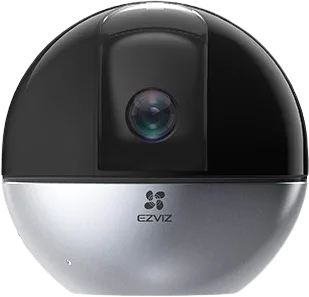
- EZVIZ WiFi cameras
- wired cameras
Shows up in Apple Home as from its README
Sensor readings in its code
What people report
Works only with EZVIZ cameras that expose RTSP; doorbells, peepholes and some cameras fail.
- Partly works2
- Not working2
- Won’t be supported1
| Device | Status | What they said | Source |
|---|---|---|---|
| EZVIZ CP1 camera | Partly works | Preview shows in Home; live streaming not workingSaved copyEzviz CS-C1C not working : visible in Homekit but it says "Webcam not responding" : Ezviz CP1 is connected and shows preview in the Homekit Home view but if selected it doesn't show video steaming: Logs: Plugin Config: Environment: Thanks! BR Excerpt saved from GitHub on 2026-10-22. | Issue #19 · 2026-02 |
| EZVIZ CS-C1C camera | Partly works | Preview works after enabling RTSP; live streaming still failingSaved copyEzviz CS-C1C not working : visible in Homekit but it says "Webcam not responding" : Ezviz CP1 is connected and shows preview in the Homekit Home view but if selected it doesn't show video steaming: Logs: Plugin Config: Environment: Thanks! BR Excerpt saved from GitHub on 2026-10-22. | Issue #19 · 2026-02 |
| EZVIZ cameras | Not working | Plugin worked for a long time then suddenly stopped this yearSaved copyHi, i’m looking for some advice. I have ezviz cameras and up until this year used the ezviz plugin without any issues (it worked perfectly and i could see my cameras on homekit), than it suddenly stopped working with the homebridge app and I can’t see my ezviz cameras on homekit anymore. Now i’m thinking of either setting up new cameras or looking at an alternative solution to view my ezviz cameras on homekit. Does anybody have any advice or a solution/work around for me. Excerpt saved from Arctic Shift Reddit archive on 2026-10-22. | Reddit thread · 2023-11 |
| EZVIZ CP2 door viewer | Not working | Type CatEye skipped; peephole update did not work for testerSaved copy… device key/code in the config file is correct? In case you want to continue debugging, I'm sending you a step by step guide to how to call some of the EZVIZ endpoints manually, so we can get access to responses and see what kind of data is returned for the CP2 device specifically. 1. First you need to authenticate: curl --request POST \ --url https://apiius.ezvizlife.com/v3/users/login/v5 \ --header 'clienttype: 1' \ --header 'content-type: application/x-www-form-urlencoded' \ --header 'user-agent: EZVIZ/4.9.2 (iPhone; iOS 14.3; Scale/3.00)' \ --data account= \ --data featureCode= \ --data … Excerpt saved from GitHub on 2026-10-22. | Issue #4 · 2025-03 |
| EZVIZ CP5 video doorphone | Won’t be supported | Video doorbells unsupported; needs RTSP; found 0 devicesSaved copyDescribe Your Problem: The plugin authenticates successfully with the EZVIZ API and detects my device (named CP5, EZVIZ CP5 video doorphone), but it reports the device component types as unsupported (DBScreen and BDoorBell) and skips them. As a result the CP5 is not exposed to HomeKit and the plugin reports Found 0 devices. I would like support for the EZVIZ CP5 (Video Doorphone) or guidance on how to map DBScreen and BDoorBell to HomeKit accessories (camera / doorbell / switch) or at least how to surface snapshots / doorbell events. Logs: `[10/27/2025, 1:05:26 PM] [Homebridge UI] Running … Excerpt saved from GitHub on 2026-10-22. | Issue #12 · 2025-10 |
Gathered from the plugin’s GitHub issues, pull requests, discussions, wiki and docs, and from r/homebridge. These are individual reports, so check the linked thread and the date before you buy.
How it connects
Cloud
EZVIZ cloud account
You’ll need
- EZVIZ account
- ffmpeg
Compatibility
| Verified by Homebridge | Yes |
|---|---|
| Homebridge versions | ^1.8.0 || ^2.0.0 |
| Homebridge 2.0 | Yes |
| Node.js | ^22.10.0 || ^24.0.0 |
| Settings in Homebridge UI | Yes |
| Matter | No |
| Platform name | EZVIZ |
| License | Apache-2.0 |
Community signals
| Downloads a week | 157 |
|---|---|
| Downloads a month | 2,762 |
| GitHub stars | 9 |
| Open issues | 0 |
| Closed issues | 20 |
| Last code push | 2026-10-21 |
| Latest version | 2.3.0 (2026-10-15) |
| First published | 2025-01-12 |
| Releases | 46 |
In ReReHome
Whatever this plugin publishes reaches Apple Home as a normal HomeKit accessory behind your Homebridge bridge, so ReReHome shows and controls it like any other.
Bridges get their own settings page listing the accessories behind them.
Caveats from the README
- H.264 avoids transcoding
HomeKit services in its code
Found by scanning the published npm package. A plugin can register a service only for some devices.
- CameraOperatingMode
- MotionSensor
- SecuritySystem
- Switch
Sources
- npm: https://www.npmjs.com/package/@viguza/homebridge-ezviz
- Source code: https://github.com/viguza/homebridge-ezviz
- Issues: https://github.com/viguza/homebridge-ezviz/issues
- Verified plugins list: https://github.com/homebridge/verified