HomePod Radio
@homebridge-plugins/homebridge-homepod-radio · v3.2.13
Streams radio URLs and audio files to a HomePod or Apple TV from a HomeKit speaker accessory.
What it says it supports
Brands
- Apple
Devices it names
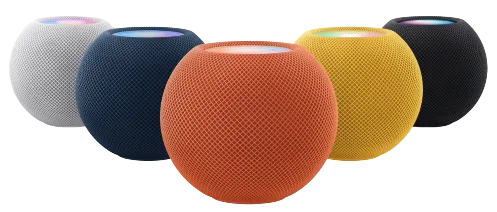
- HomePod
- HomePod mini
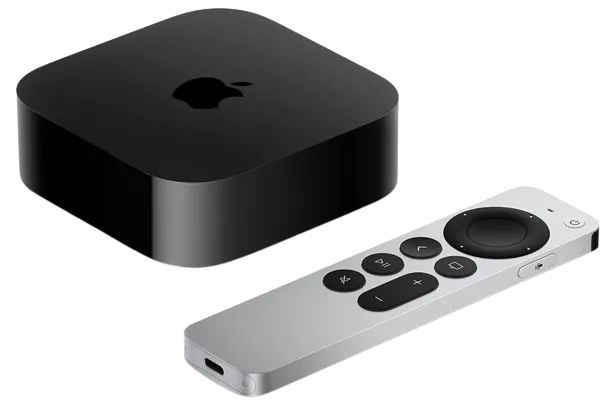
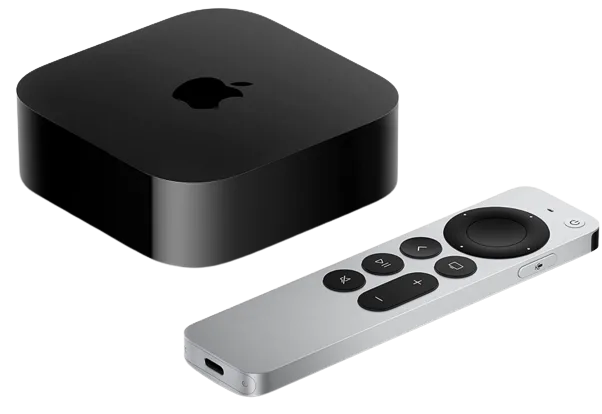
- Apple TV
Shows up in Apple Home as from its README
What people report
Streams radio to HomePods through pyatv and ffmpeg; HomePod mini works but can need a reboot and has audio dropouts.
- Partly works1
- Not working1
| Device | Status | What they said | Source |
|---|---|---|---|
| HomePod mini | Partly works | Streams radio but dropouts; sometimes errors until HomePod rebootedSaved copyHi Petro After rebooting the HomePod, the plug-in works Increasing the buffer has helped a little. every time there is an acoustic disturbance, the following message appears: [23/01/2022, 09:41:19] [HomepodRadioPlatform] [BBC1] ffmpeg pipe error: Error: write EPIPE and Homebridge crashes completely on the RP3. I have to pull the plug to restart. complete log: (before crash) [23/01/2022, 09:37:45] [HomepodRadioPlatform] [BBC1] Setting volume to 35 [23/01/2022, 09:37:46] [HomepodRadioPlatform] [BBC1] Started streaming http://stream.live.vc.bbcmedia.co.uk/bbc_radio_one [23/01/2022, 09:37:46] … Excerpt saved from GitHub on 2026-10-22. | Issue #6 · 2022-01 |
| HomePod mini (tvOS 15.2, pairing disabled) | Not working | Pairs in Home but no audio; pyatv scan shows pairing disabledSaved copy… What a great idea your plug-in, thank you so much! Unfortunately the plug in does not work for me, I can pair it to Homekit App but unfortunately the homepod does not play music. in the homebridge log protocol i get this message: A platform configured a external accessory under the plugin name 'homebridge-homepod-radio-platform'. However no loaded plugin could be found for the name! my config: { "platform": "HomepodRadioPlatform", "name": "Homepod Radio", "model": "BBC - Radio 1", "homepodId": "58D34940A3EC", "radioUrl": "http://stream.live.vc.bbcmedia.co.uk/bbc_radio_one" } i did all steps … Excerpt saved from GitHub on 2026-10-22. | Issue #3 · 2022-01 |
Gathered from the plugin’s GitHub issues, pull requests, discussions, wiki and docs, and from r/homebridge. These are individual reports, so check the linked thread and the date before you buy.
How it connects
Local
AirPlay via pyatv
You’ll need
- pyatv
- Python 3.8+
Compatibility
| Verified by Homebridge | Yes |
|---|---|
| Homebridge versions | ^1.8.0 || ^2.0.0-beta.0 |
| Homebridge 2.0 | Yes |
| Node.js | ^20.0.0 || ^22.0.0 || ^24.0.0 |
| Settings in Homebridge UI | Yes |
| Matter | No |
| Platform name | HomepodRadioPlatform |
| License | MIT |
Community signals
| Downloads a week | 172 |
|---|---|
| Downloads a month | 212 |
| GitHub stars | 68 |
| Open issues | 0 |
| Closed issues | 69 |
| Last code push | 2026-10-19 |
| Latest version | 3.2.13 (2026-10-12) |
| First published | 2026-03-09 |
| Releases | 9 |
In ReReHome
Whatever this plugin publishes reaches Apple Home as a normal HomeKit accessory behind your Homebridge bridge, so ReReHome shows and controls it like any other.
Bridges get their own settings page listing the accessories behind them.
Caveats from the README
- Each radio speaker is paired separately
HomeKit services in its code
Found by scanning the published npm package. A plugin can register a service only for some devices.
- Lightbulb
- SmartSpeaker
- Switch