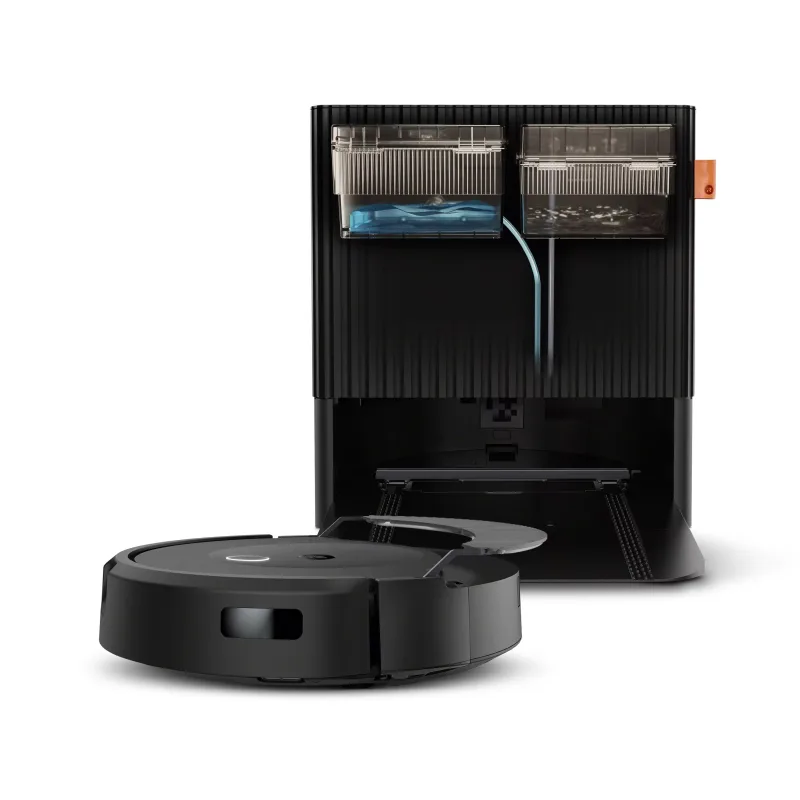
Roomba
@homebridge-plugins/homebridge-roomba · v3.0.4
Adds iRobot Roomba vacuums to HomeKit with start/stop switch, battery, dock sensor and filter status.
What it says it supports
Brands
- iRobot
Devices it names
- Wi-Fi connected Roomba
Shows up in Apple Home as from its README
Sensor readings in its code
What people report
Local-network control of Wi-Fi Roombas (980, i-series, j-series). j7 users needed cipher tweaks to connect, and newer j-series refuse to give the password locally.
- Works5
- Partly works7
- Not working1
- Won’t be supported1
| Device | Status | What they said | Source |
|---|---|---|---|
| iRobot Roomba 980 | Works | Runs fine but did not work with new j7 cipher on same bridgeSaved copyReally, we’re having more trouble with the 980 than the J7. It’s gotten stuck 5 out of the last 8 days. However, a couple of those times were due to things getting in the way, so I’m not ready to blame the Roomba2 plugin. It had been working fine for months before the latest update. I don’t have the Dorita980 plugin and have just used the one that’s built into yours. Thank you for your responses. I had struggled for months with the homebridge-irobot app, but I could never get both the J7 and the 980 working at the same time. Yours has seemed to fix that. On Mar 24, 2022, at 10:48 AM, … Excerpt saved from GitHub on 2026-10-22. | Issue #106 · 2022-03 |
| iRobot Roomba j7/j7+ | Works | Connects after TLS cipher change (remove AES128-SHA256 or add TLS_AES_256_GCM_SHA384)Saved copyI'm running a Roomba j7+ Combo and had issues with getting the password using the Setup instructions in v1.5.0-beta.4. There's only one button on the j7 models, pressing it reboots the machine or empties the bin so button press is not needed. Just make sure it's on the dock and run `npm run getpassword ` command to fetch the blid and you'll get: `Error getting password. Follow the instructions and try again.` https://github.com/koalazak/dorita980/issues/142 solved my issue of getting the password from the cloud by running: `npm install -g dorita980` and then `get-roomba-password-cloud ` (make … Excerpt saved from GitHub on 2026-10-22. | Issue #129 · 2022-12 |
| Roomba 890 | Works | Start/stop and battery status work perfectlySaved copyI have a Roomba 890 and it works perfectly with this plugin. As far as functionality goes, you can start/stop, check battery. It’s useful if you want to create automations to kick off a cleaning job when you leave home and stop it when you return. Excerpt saved from Arctic Shift Reddit archive on 2026-10-22. | Reddit comment · 2019-10 |
| Roomba e5 | Works | User likes itSaved copyWell, I don’t have tons of experience with different models, but I have a Roomba e5 and like it :) Excerpt saved from Arctic Shift Reddit archive on 2026-10-22. | Reddit comment · 2021-08 |
| Roomba i6 and m6 | Works | Plugin detects both wellSaved copyThe Roomba plugin has been pretty good at detecting my i6 and my m6. As for the BLID, you might have just lost the config; I'd recommend setting up static IP, on your router, for your robot(s); that way, it will never get disconnected. Excerpt saved from Arctic Shift Reddit archive on 2026-10-22. | Reddit comment · 2021-08 |
| iRobot Roomba i3+ | Partly works | Evac phase warnings in log, no operational problemsSaved copy… [Bonny] Unsupported phase: evac [01/05/2022, 13:42:13] [Bonny] Unsupported phase: evac Steps to Reproduce (for bugs) Update to 22.7.2 https://homesupport.irobot.com/s/article/19549 "Improvement to ‘Bin Full’ detection algorithm" Versions Roomba i7 - 22.7.2 Homebridge 1.4.1 Configuration Contact Sensor "Bin full" enabled [code] Excerpt saved from GitHub on 2026-10-22. | Issue #114 · 2022-05 |
| iRobot Roomba i7 | Partly works | Logs unsupported evac phase; maintainer treated it as end of clean in betaSaved copy… [Bonny] Unsupported phase: evac [01/05/2022, 13:42:13] [Bonny] Unsupported phase: evac Steps to Reproduce (for bugs) Update to 22.7.2 https://homesupport.irobot.com/s/article/19549 "Improvement to ‘Bin Full’ detection algorithm" Versions Roomba i7 - 22.7.2 Homebridge 1.4.1 Configuration Contact Sensor "Bin full" enabled [code] Excerpt saved from GitHub on 2026-10-22. | Issue #114 · 2022-05 |
| Roomba | Partly works | Shows no response when Homebridge host is offline; reported often unresponsiveSaved copyMine has been shit and I’m about to throw it in the trash and be done with homebridge. Things don’t work more often than they do. Roomba is almost always unresponsive, I can’t even add my myQ garage door opener in the plug in, my winix air filter never responds. I can keep going. It’s just junk. And before you ask, it’s hardwired into the router. Excerpt saved from Arctic Shift Reddit archive on 2026-10-22. | Reddit comment · 2023-06 |
| Roomba | Partly works | Shows as light switch; Matter works only via child bridge with HAP offSaved copyI’m running Homebridge 2.0 Homebridge-roomba v3.0.0 In my plugin configs under advanced settings I have “enable matter support” enabled however my roomba still shows up in the HomeKit app as a light switch. Am I missing something to enable full vacuum support with homebridge 2.0? Excerpt saved from Arctic Shift Reddit archive on 2026-10-22. | Reddit thread · 2026-05 |
| Roomba 690 | Partly works | Worked, but Homebridge crashed when Roomba disconnected; BLID lostSaved copy… hoping you guys could give me some recommendations for robotic vacuums to connect to my homekit via Homebridge (running on a HOOBS box). I used to have a Roomba 690 which worked well with Homebridge, but it got disconnected at some point and I was never able to successfully retrieve the BLID/password after that. I also didn’t love how all of Homebridge would crash when the Roomba wasn't connecting (if the battery died, etc). So, I’m looking for a robot vacuum that works well in Homebridge and that isn‘t too difficult to connect to the platform. Any recommendations would be great! I’m open to … Excerpt saved from Arctic Shift Reddit archive on 2026-10-22. | Reddit thread · 2021-08 |
| Roomba and Eufy vacuums | Partly works | Matter vacuums stuck on updating/no response about 90% of timeSaved copyI recognize matter is beta but I must be doing something wrong here... I've added two separate plugins for vacuums, setup and config'd as child bridges with matter enabled on those bridges but they maybe work 10% of the time. that is 90% of the time when opening homekit they show updating....and then eventually not responding. i have 25 other homebridge devices that work fine. its just these two devices when using matter. logs don't show anything abnormal - did i misconfigure something? running latest versions of homebridge, my roomba and eufy plugins and 26.5 https://i.imgur.com/cfbzncV.jpeg Excerpt saved from Arctic Shift Reddit archive on 2026-10-22. | Reddit thread · 2026-05 |
| Roomba vacuum | Partly works | Verified plugin in use but results underwhelmingSaved copy… Sensor - Native, but not great Xfinity Alarm - Homebridge - Verified NeoSmart Blinds - Homebridge - Not Verified Ring Doorbell - Homebridge - Verified Roomba Vacuum - Homebridge - Verified So far: The XfinityAlarm button seems to work and maybe I could integrate it into some scenes, but the notifications are super delayed. The NeoSmart Blinds are stuck on "Opening" unless I reboot the child bridge. The Ring Doorbell won't ring my Homepods (it did briefly, but it took about a minute to connect) and the camera disappears after a few hours and can't be added back in. The Vacuum connected once, … Excerpt saved from Arctic Shift Reddit archive on 2026-10-22. | Reddit thread · 2024-08 |
| iRobot Roomba j7+ with second Roomba (i4) | Not working | Could not connect to j7+ after adding an i4 to accountSaved copyI have the same problem. I was able to get my J7+ to work initially but as soon as I added a second Roomba (i4) to my account I was no longer able to connect to my J7+ from HomeBridge. [12/8/2021, 9:20:40 AM] [Roomba2] Connected to Roomba [12/8/2021, 9:20:40 AM] [Roomba2] Roomba[{"running":0,"charging":1,"batteryLevel":100,"batteryStatus":0,"binFull":false,"binStatus":0}] [12/8/2021, 9:20:41 AM] [Roomba2] Connected to Roomba [12/8/2021, 9:20:42 AM] [Roomba2] Roomba[{"running":0,"charging":1,"batteryLevel":100,"batteryStatus":0,"binFull":false,"binStatus":0}] [12/8/2021, 9:20:42 AM] … Excerpt saved from GitHub on 2026-10-22. | Issue #91 · 2021-12 |
| Roomba | Won’t be supported | Robot vacuum category is Matter only; Homebridge plugin cannot expose it as a vacuumSaved copyNot possible. Robot vacuums are added as a category for Matter only, not HomeKit. So not available to Homebridge. Excerpt saved from Arctic Shift Reddit archive on 2026-10-22. | Reddit comment · 2024-06 |
Gathered from the plugin’s GitHub issues, pull requests, discussions, wiki and docs, and from r/homebridge. These are individual reports, so check the linked thread and the date before you buy.
How it connects
Local
Local Wi-Fi connection to Roomba on same network
You’ll need
- Wi-Fi Roomba on same network
- Homebridge 2
- Node 22/24
Compatibility
| Verified by Homebridge | Yes |
|---|---|
| Homebridge versions | ^1.11.4 || ^2.0.0 |
| Homebridge 2.0 | Yes |
| Node.js | ^22.12.0 || ^24.0.0 |
| Settings in Homebridge UI | Yes |
| Matter | Yes (uses the Homebridge 2 Matter API) |
| Platform name | Roomba |
| License | MIT |
Community signals
| Downloads a week | 83 |
|---|---|
| Downloads a month | 385 |
| GitHub stars | 147 |
| Open issues | 8 |
| Closed issues | 153 |
| Discussions | 6 |
| Last code push | 2026-10-22 |
| Latest version | 3.0.4 (2026-07-27) |
| First published | 2025-01-25 |
| Releases | 54 |
In ReReHome
Whatever this plugin publishes reaches Apple Home as a normal HomeKit accessory behind your Homebridge bridge, so ReReHome shows and controls it like any other.
Bridges get their own settings page listing the accessories behind them.
HomeKit services in its code
Found by scanning the published npm package. A plugin can register a service only for some devices.
- Battery
- ContactSensor
- FilterMaintenance
- Switch