Samsung Tizen TV
homebridge-samsung-tizen · v6.1.0
Adds Samsung Tizen TVs (2017+) with power, inputs, apps, volume, remote and Art Mode.
What it says it supports
Brands
- Samsung
Devices it names
- Samsung Tizen TVs 2017+
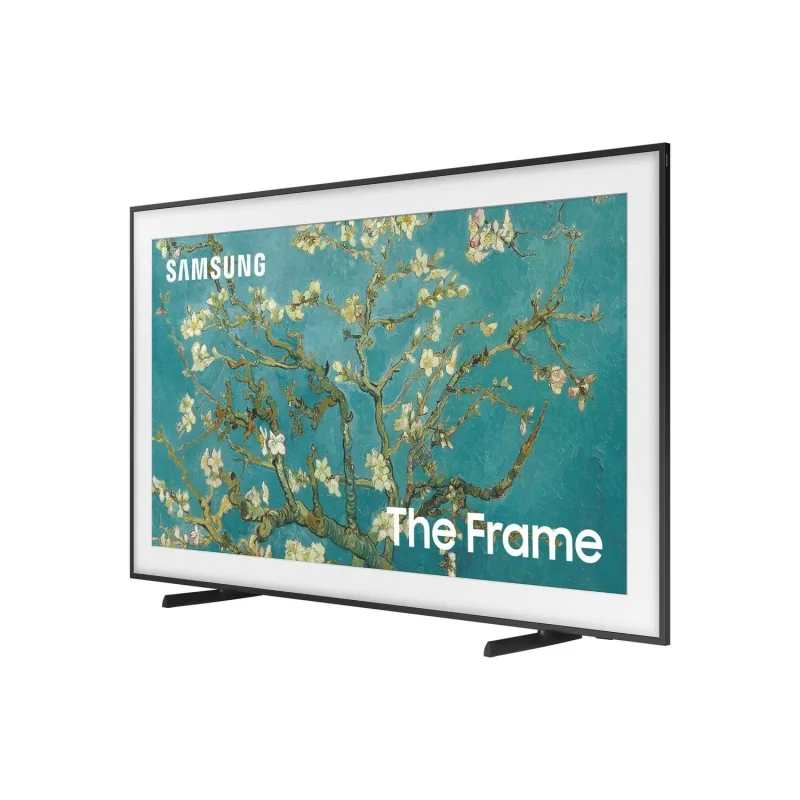
- The Frame
Shows up in Apple Home as from its README
What people report
Works on 2016+ Tizen Samsung TVs; 2014/2015 H and J series with PIN pairing are unsupported. Frame TV Art Mode no longer works on 2022+ models.
- Works9
- Partly works6
- Not working5
- Requested1
- Won’t be supported3
| Device | Status | What they said | Source |
|---|---|---|---|
| Samsung 6-series TV (Sweden) | Works | Inputs work via SmartThings API once TV is signed into Samsung accountSaved copyVery strange. I can see by your model number that the TV is 6-series. I also have a 6-series TV and it's working just fine with SmartThings (except the power on). It may be something related to your country because I can see that model is specific from one region. Excerpt saved from GitHub on 2026-10-22. | Issue #542 · 2022-07 |
| Samsung Frame TV (2021 and earlier) | Works | Art Mode on/off, real power switch and inputs supportedSaved copy318 Excerpt saved from GitHub on 2026-10-22. | PR #339 · 2021-04 |
| Samsung Q7 series TV | Works | User says plugin works great on Q7 seriesSaved copyHi Tavicu! First of all thanks for taking your time to make this plugin for us :) It works great on my Samasung Q7 series T.V but having little problems with my second T.V in media room. I've added the second T.V (Media room T.V) to config file via the Homebridge config UI X and everything almost works fine except the pairing notification did not pop up on the T.V to click allow. However, it still pops up in the accessories of Homekit and I've added it in already. Homekit also displays the T.V power status correctly when its on or off but I can't control the T.V when pressing the power button … Excerpt saved from GitHub on 2026-10-22. | Issue #224 · 2020-05 |
| Samsung The Frame TV | Works | User has their Frame in HomeKit via pluginSaved copyYes I have my Frame in Homekit. Excerpt saved from Arctic Shift Reddit archive on 2026-10-22. | Reddit comment · 2020-11 |
| Samsung Tizen TV | Works | User lists Tizen plugin among favouritesSaved copy… Favourite Homebridge plugin is Plex sensors, but use Nest, Nest cam, TP Link (have a load of plugs doing various things), automation switches and the Samsung Tizen plugin. Excerpt saved from Arctic Shift Reddit archive on 2026-10-22. | Reddit comment · 2019-09 |
| Samsung Tizen TV | Works | Plugin turns TV on/off as HomeKit buttonSaved copyI use this plugin and it’s pretty predictable https://github.com/lukasroegner/homebridge-apple-tv-remote#readme ... you have to do a small amount of legwork, but the readme will explain it all. This plugin turns my TV on or off easily as a HomeKit button now. Excerpt saved from Arctic Shift Reddit archive on 2026-10-22. | Reddit comment · 2020-05 |
| Samsung TVs | Works | TV tile with power/input and remote; works great per two usersSaved copyThe homebridge-samsung-tizen plugin works well, gives you a TV tile for power/input control and control center remote. Needs some manual config for inputs and customizing the remote but the documentation is excellent: https://github.com/tavicu/homebridge-samsung-tizen Not HB2 beta compatible yet but tavicu is working on it. Excerpt saved from Arctic Shift Reddit archive on 2026-10-22. | Reddit comment · 2024-12 |
| Samsung TVs (non-Frame) | Works | Works well for non-Frame Samsung TVs per two usersSaved copyWorks well for all my non-Frame Samsung TVs. For my Frame, I have had similar frustrations. Excerpt saved from Arctic Shift Reddit archive on 2026-10-22. | Reddit comment · 2024-04 |
| Samsung UN75TU8000 (2020, Canada) | Works | Owner confirms compatible; needs trailing slash on API URL; SmartThings for full controlSaved copy… IMESYNCEDSUPPORT true LANGUAGE en_US OS Tizen POWERSTATE on TOKENAUTHSUPPORT true VOICESUPPORT true WALLSCREENRATIO 0 WALLSERVICE false COUNTRYCODE CA DESCRIPTION Samsung DTV RCR DEVELOPERIP 192.168.8.180 DEVELOPERMODE 1 DUID uuid:HIDDEN FIRMWAREVERSION Unknown ID uuid:HIDDEN IP 192.168.8.140 MODEL 20_NIKEL_UHD_BASIC MODELNAME UN75TU8000FXZC NAME [TV] Samsung 8 Series (75) NETWORKTYPE wired RESOLUTION 3840x2160 SMARTHUBAGREEMENT true TYPE Samsung SmartTV UDN uuid:HIDDEN WIFIMAC HIDDEN Developer Options View Logs Logging Level CHECKED - Allow All Content Excerpt saved from GitHub on 2026-10-22. | Issue #316 · 2021-03 |
| Samsung Frame TV | Partly works | Power control loses sync after a day or two; some say API limits powerSaved copyThank you for that, I'm not using a frame TV, just a standard Samsung QN65QN90CAFXZA 2023 running the latest Samsung Firmware 3.5.1 / VD-STV-2023. I moved over to the SmartThings plugin from the Tizen version, still having issues with the device and app staying in sync. Smart Things app shows the correct status, Home app is stuck ON. Seems like the plugging are evaluating a "True" value in the device ping for the "alive" variable as an indicator the TV is actually ON. Device level attribute data available in the SmartThings Web UI shows the TV as actually OFF. For my TV it stores this as a … Excerpt saved from Arctic Shift Reddit archive on 2026-10-22. | Reddit thread · 2024-04 |
| Samsung Frame TV (2022+, Tizen 6.5) | Partly works | Samsung removed Art Mode API; only real power control, manual configSaved copyAttention for users with TVs from 2022 (Tizen 6.5) or newer. Samsung decided to remove the API for Art Mode. Unfortunately they didn't offer an alternative yet. Only TVs from 2022 or newer are affected, TVs that have Tizen 6.5 OS. When Samsung will decide to add an API in SmartThings we will implement it right away. Until then the only option is to control only the Real Power of TV. For the moment this is not done automatically. So you will have to set the config manually. You can also create a custom switch which will send the `KEY_POWER` command just like you have on physical remote or in … Excerpt saved from GitHub on 2026-10-22. | Wiki: Frame TVs |
| Samsung QN90C TV | Partly works | TV falls out of sync with Home app; SmartThings plugin also has sync problemsSaved copyu/slimsly did you find a fix here? I'm running 5.3.2 of the homebridge-samsung-tizen plugin with an NQ90C Samsung TV. The TV falls out of sync with the home app often, using the Apple TV to control power. I'm struggling to nail down the cause. Something is telling the Home App the TV is ON, while it's OFF. I experience these issues with LG Thinq or generally any device that relies on an external server to complete a circuit. Excerpt saved from Arctic Shift Reddit archive on 2026-10-22. | Reddit comment · 2024-04 |
| Samsung Series 7 Tizen TV | Partly works | Off and inputs work but turning on is unreliable; others get not respondingSaved copyHey, I added a plug-in to my Samsung series 7 TV (homebridge-samsung-tizen) I noticed an issue: The TV does not turn on properly when using Homekit (does not respond and turns on only if I press the button several times). I can turn it off and transfer inputs without a problem. The only problem is just turning the TV on. Anyone had this problem? Is there a way to solve it? Excerpt saved from Arctic Shift Reddit archive on 2026-10-22. | Reddit thread · 2021-01 |
| Samsung The Frame QN55LS03TAGXZS | Partly works | TV added but app inputs (Netflix, YouTube) fail with InvalidAppIdErrorSaved copyHello, I have the same problem, when I see the log in the 'debug mode' I see this for Netflix: InvalidAppIdError: No application found with this id (11101200001) And I see this for Youtube: \[DEBUG\] InvalidAppIdError: No application found with this id (111299001912) So, I have the Samsung The Frame TV, maybe the value for the apps are different? ​ I make the 'Shows applications installed on the devices in the log. Make sure your TV is on and paired before restarting Homebridge' option, but, muy log shows me this: 19/11/2020 10:58:56 [TV] [DEBUG] { method: 'ms.channel.emit', params: { … Excerpt saved from Arctic Shift Reddit archive on 2026-10-22. | Reddit thread · 2020-11 |
| Samsung TV | Partly works | State sync delayed; mostly stable; reauthorization needed after updatesSaved copy… just HAP. The duration is random... around 30 minutes after turning the TV off it will appear on in the home app. The LG beta 4 is workin better. The Samsung Tizen is mostly stable, but still randomly shows on when it's off. Excerpt saved from Arctic Shift Reddit archive on 2026-10-22. | Reddit comment · 2025-01 |
| Samsung 2020 TU8500 TV | Not working | No apps launch on 2020 modelSaved copyDid you ever find a solution to this? No apps seem to launch on my 2020 TU8500 model. :( Excerpt saved from Arctic Shift Reddit archive on 2026-10-22. | Reddit comment · 2020-11 |
| Samsung Family Hub fridge | Not working | Tizen plugin stopped working after firmware version 4Saved copy… way to go. Updates are easier and you can play with other things via docker without messing other systems up. FYI, the Tizen plugin stopped working with Samsung family hub fridges a while back (since their firmware went to version 4). Can’t speak for other Samsung devices however. Excerpt saved from Arctic Shift Reddit archive on 2026-10-22. | Reddit comment · 2022-07 |
| Samsung Q60AA 85 inch (2021) | Not working | Pairs but does not respond in HomeKitSaved copyHi Tavicu, I can confirm that I have this same issue and my Samsung TV is from 2021 and matches the images of the interface you show above. You don't have the same issue since his TV is not supported and yours is. You should open a new issue. The problem also exists with my Samsung TV 2021 Q60AA 85Zoll but could pair but does not respond in HomeKit. Also your problem is not related to this issue. Since you were able to pair the TV then the plugin part is done. The problem is between your phone and homebridge server. You could open a new issue where you can tell me what you did, what you … Excerpt saved from GitHub on 2026-10-22. | Issue #406 · 2021-09 |
| Samsung QN85A (2021) | Not working | Failed to pair despite reachable API; unresolved after hard restart and host networkingSaved copy… issue, for some, is related to an old version of Tizen, but I don't think that's my issue. I am running Homebridge v1.4.1 on Docker. Installed Homebridge Samsung Tizen v5.2.3 plugin, configuring it as follows: [code] My QN85A is a 2021 model running Tizen version 1904. I can access the API via the TV's IP address which returns the following response: … Excerpt saved from GitHub on 2026-10-22. | Issue #530 · 2022-06 |
| Samsung UE55JU6410 | Not working | No pairing prompt on TV; J series generally unsupportedSaved copy[code] It seems to respond to the URL, however when adding it I get these errors: [code] The problem is I don't get an option to pair on the TV or anything like what's mentioned in the configuration instructions. Excerpt saved from GitHub on 2026-10-22. | Issue #132 · 2019-09 |
| Samsung Smart Monitor (OLED) USB-C and DisplayPort inputs | Requested | PR adding USB-C/DisplayPort inputs was closed unmergedSaved copyFor those who don't understand, SmartThings API is using a different command for monitors to support USB-C or DisplayPort. From the local API there is no way to find out if the device is a TV or a monitor to be able to use different commands depending on what device it is. SmartThings have an api which will tell you what commands the device supports. So the correct implementation will be to query SmartThings api and see if the device supports the command that changes to USB-C or DisplayPort. Then if it does, to use that command. Otherwise to use the command which is used now. A not so good … Excerpt saved from GitHub on 2026-10-22. | PR #677 · 2024-04 |
| Samsung 48H6400 (2014 H series) | Won’t be supported | H and J series use PIN pairing; plugin incompatibleSaved copyTu TV es 48H6400? Si es así, olvídate. Los modelos H y J no son compatibles con el plugin. Los modelos de 2014 (H) y 2015 (J) utilizan un método de emparejamiento con PIN, que no es compatible. Excerpt saved from GitHub on 2026-10-22. | Issue #190 · 2020-03 |
| Samsung J series (2015) TV | Won’t be supported | Owner: J series uses another pairing procedure, not supportedSaved copyHi Tavicu! First of all thanks for taking your time to make this plugin for us :) It works great on my Samasung Q7 series T.V but having little problems with my second T.V in media room. I've added the second T.V (Media room T.V) to config file via the Homebridge config UI X and everything almost works fine except the pairing notification did not pop up on the T.V to click allow. However, it still pops up in the accessories of Homekit and I've added it in already. Homekit also displays the T.V power status correctly when its on or off but I can't control the T.V when pressing the power button … Excerpt saved from GitHub on 2026-10-22. | Issue #224 · 2020-05 |
| Samsung UE40H6400 (2014 H series) | Won’t be supported | Old PIN pairing not supported; owner says not compatibleSaved copyI'm trying to set up this plugin on the Samsung UE40H6400AK. I can ping the IP and also access the API successfully. This is the error im getting: and I'm not getting a prompt on the TV screen. I can connect my iPhone to the TV, it successfully asks for a PIN and allows control. Reading the documentation, PINs aren't supported, are there any plans to support them? Any help would be great! Excerpt saved from GitHub on 2026-10-22. | Issue #406 · 2021-09 |
Gathered from the plugin’s GitHub issues, pull requests, discussions, wiki and docs, and from r/homebridge. These are individual reports, so check the linked thread and the date before you buy.
How it connects
Local
WebSocket on the LAN, optional SmartThings
You’ll need
- TV on same subnet
- Static IP
- Node 22.10+
- Homebridge Config UI X 5.27+
Compatibility
| Verified by Homebridge | Yes |
|---|---|
| Homebridge versions | ^1.8.0 || ^2.0.0 |
| Homebridge 2.0 | Yes |
| Node.js | ^22.10.0 || ^24.0.0 || ^26.0.0 |
| Settings in Homebridge UI | Yes |
| Matter | No |
| Platform name | SamsungTizen |
| License | MIT |
Community signals
| Downloads a week | 776 |
|---|---|
| Downloads a month | 2,099 |
| GitHub stars | 679 |
| Open issues | 1 |
| Closed issues | 667 |
| Last code push | 2026-10-16 |
| Latest version | 6.1.0 (2026-10-16) |
| First published | 2018-04-22 |
| Releases | 84 |
In ReReHome
Whatever this plugin publishes reaches Apple Home as a normal HomeKit accessory behind your Homebridge bridge, so ReReHome shows and controls it like any other.
Bridges get their own settings page listing the accessories behind them.
Caveats from the README
- 2016 and earlier unsupported
- No internet needed
HomeKit services in its code
Found by scanning the published npm package. A plugin can register a service only for some devices.
- InputSource
- Lightbulb
- Switch
- Television
- TelevisionSpeaker
Sources
- npm: https://www.npmjs.com/package/homebridge-samsung-tizen
- Source code: https://github.com/tavicu/homebridge-samsung-tizen
- Issues: https://github.com/tavicu/homebridge-samsung-tizen/issues
- Homepage: https://tavicu.github.io/homebridge-samsung-tizen/
- Verified plugins list: https://github.com/homebridge/verified